Solutions / Lead qualification
Call every new lead while they still remember filling in the form.
When a lead comes in, the agent calls them. It asks your questions, notes the answers and puts the good ones through to a salesperson.
Outbound call
+61 4 3398 7654
Agent: Hi Sam, it's Jordan from Solar Co. You asked about our services earlier today. Is now a good time?
Caller: Yeah, I've got a few minutes.
Agent: Great. What made you look into solar for your home?
Caller: Our power bill went up a lot this quarter.
Agent: That's common. Are you the owner of the property?
- Noted: owns the home, $420 a month bill, deciding in 3 months
Illustration of an example call.
What the agent does
The job, step by step.
- Typical setup
- Starts when
- A new lead comes in
- Knows
- Lead's first name and where they came from
- Captures
- Owner, monthly bill, timing, qualified
- Sends to
- Your CRM
- 01
Call in minutes
When a new enquiry arrives, your website or CRM can ask Tried to call the lead straight away, with their name ready to use.
- 02
Ask the same questions every time
Budget, timing, who decides and what they need, asked in order and recorded.
- 03
Hand over good leads
If the lead fits, the agent puts them through to your sales line.
- 04
Book a callback otherwise
Leads who are not ready can name a better time, which is captured with the call.
After the call
Every call, summed up.
When the call ends you get a short summary, how the caller felt, whether the call did its job, and the details you asked for, ready to send to your other systems.
Call summary
Summary
Homeowner with a high power bill, planning to decide within three months. Qualified and booked for a sales call.
Details captured
- Owns homeYes
- Monthly bill$420
- Timing3 months
- QualifiedYes
In the dashboard
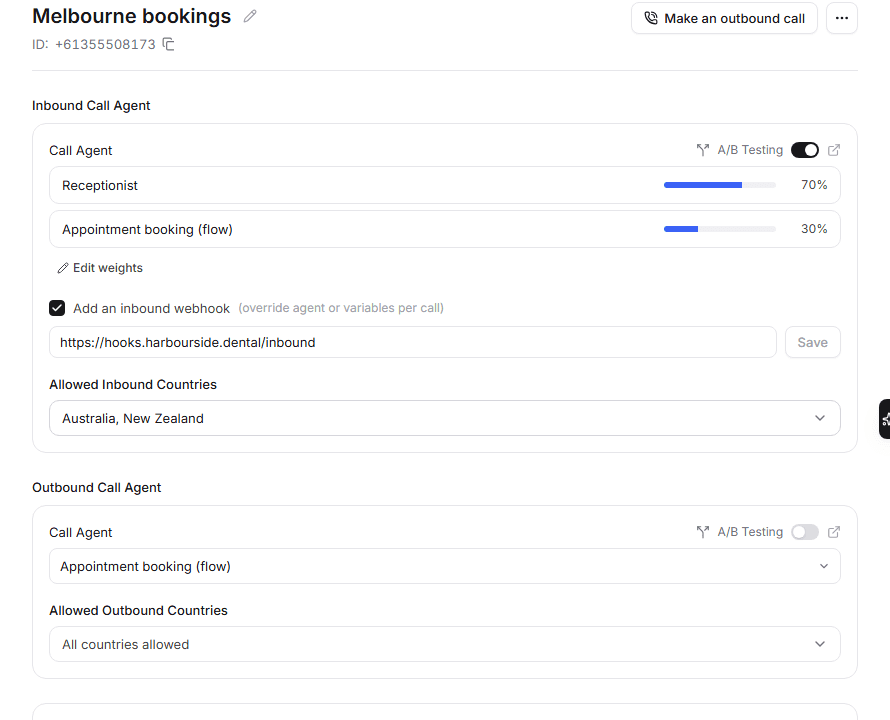
Set up in the Tried dashboard.
Questions
Something missing? Email hello@tried.com.au.
How fast can a lead be called?
Straight away. The call starts as soon as your website or CRM asks for it, unless you schedule it for later.Can I control calling hours?
Yes. Call lists only run during the hours you set, in each person's own time zone.Is outbound calling regulated?
Yes. In Australia the Spam Act and the Do Not Call Register Act apply. You are responsible for consent and for checking the relevant registers.
Other use cases
- AI receptionistAnswers every call, handles common questions and puts callers through or takes a message.
- Appointment bookingBooks, moves and cancels appointments in your calendar while the caller is on the line.
- Customer supportAnswers common support questions, looks up orders and passes the rest to your team.
- Outbound callingCalls your list for reminders, follow-ups and surveys, during the hours you choose.

Have you Tried it yet?
Create an account, pick a template and talk to your new receptionist in the browser. You only pay for the minutes you use.