Build your agent
Set up an AI receptionist the way you would brief new staff.
Tell it about your business, what callers usually want and when to hand over to a person. No code needed. Start from a template or a blank page.
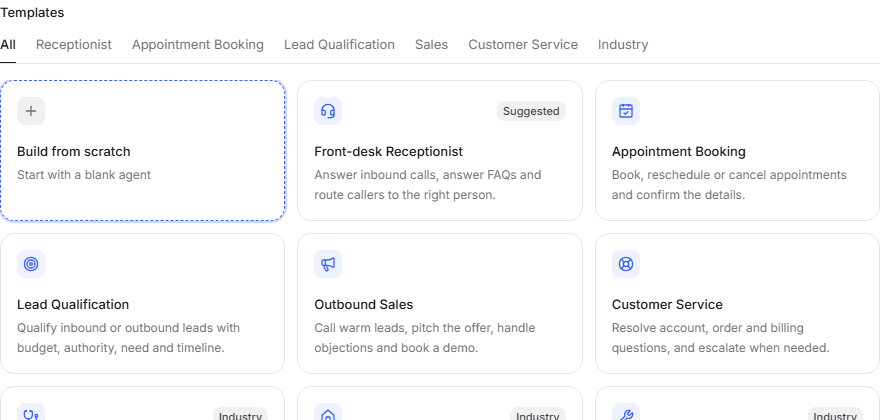
Two ways to build
Write a brief, or map out the call.
Both give you the same voices, tools, testing and reporting. Pick whichever suits the job.
- Write a brief
- Describe who the agent is, how it should sound and what it should do, in plain English. Best for open conversations like answering questions and taking messages.
- Map out the call
- Lay the call out step by step: greet, collect details, check the calendar, book. Best when things must happen in a set order every time.
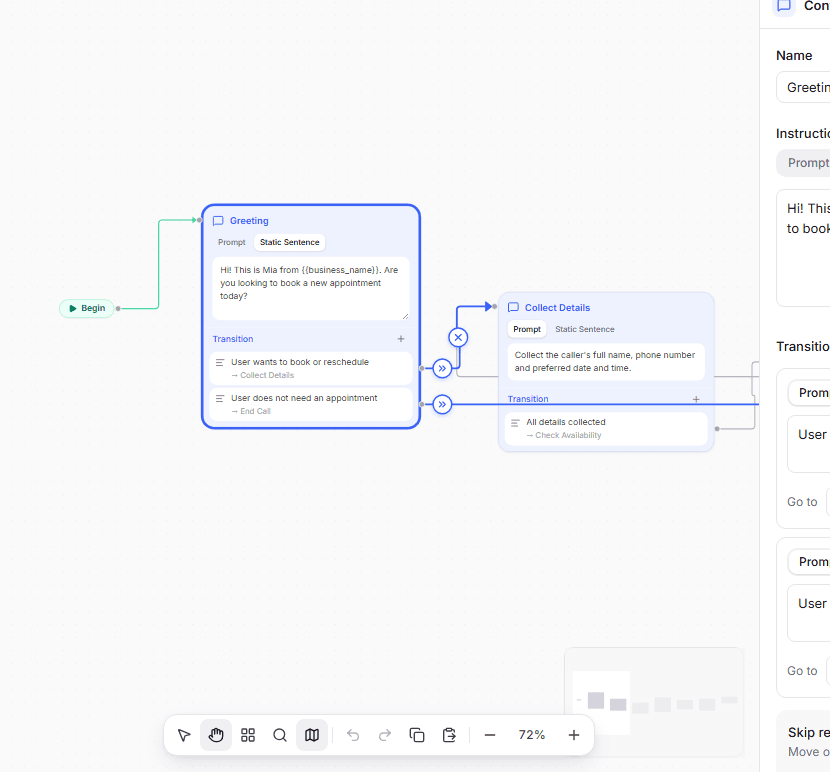
Step by step
See exactly where every call can go.
Each step has one job. You decide where the call goes next in plain words, for example “Caller wants to reschedule”.
- Put callers through to a person, with a backup if nobody answers
- Brief your staff before the caller is connected
- Collect names, numbers and dates as you go
- Send different callers down different paths
Get things done
More than answering questions.
Your agent can look things up, book, transfer and follow up while the caller is still on the line.
Inbound call
+61 3 7010 5588
Caller: Where's my order? It's 48213.
Agent: One moment, I'll check that for you.
- Order 48213 looked up
Agent: It was sent yesterday and is due on Thursday.
- Book appointments
- Checks your calendar and books a time that suits the caller.
- Put calls through
- Transfers to the right person, or briefs them first so the caller does not repeat themselves.
- Look things up
- Checks orders, accounts or bookings in your own systems and gives the caller the answer.
- Answer from your documents
- Learns from your website, PDFs and notes, and keeps answers to what you have told it.
- Get through phone menus
- Presses the right keys when your agent is the one making the call.
- Never leave silence
- Says a short line like “just checking that now” while it looks something up.
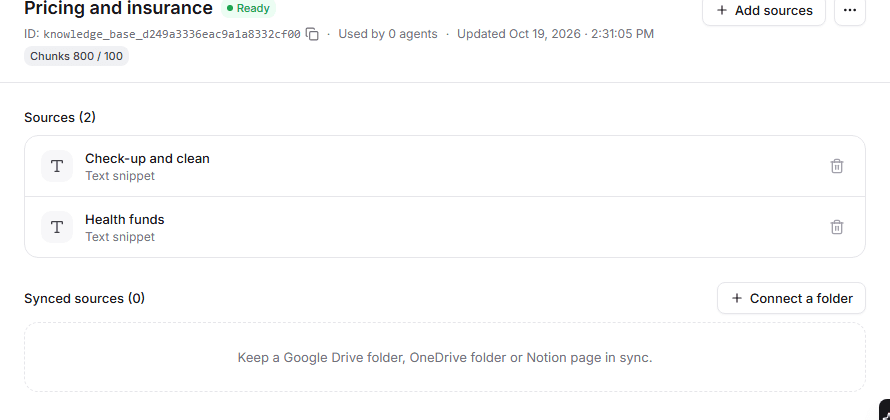
Your knowledge
Teach it what your front desk knows.
Add your prices, opening hours, policies and FAQs as text, files or web pages. Or connect a Google Drive folder or Notion page and it stays up to date on its own.
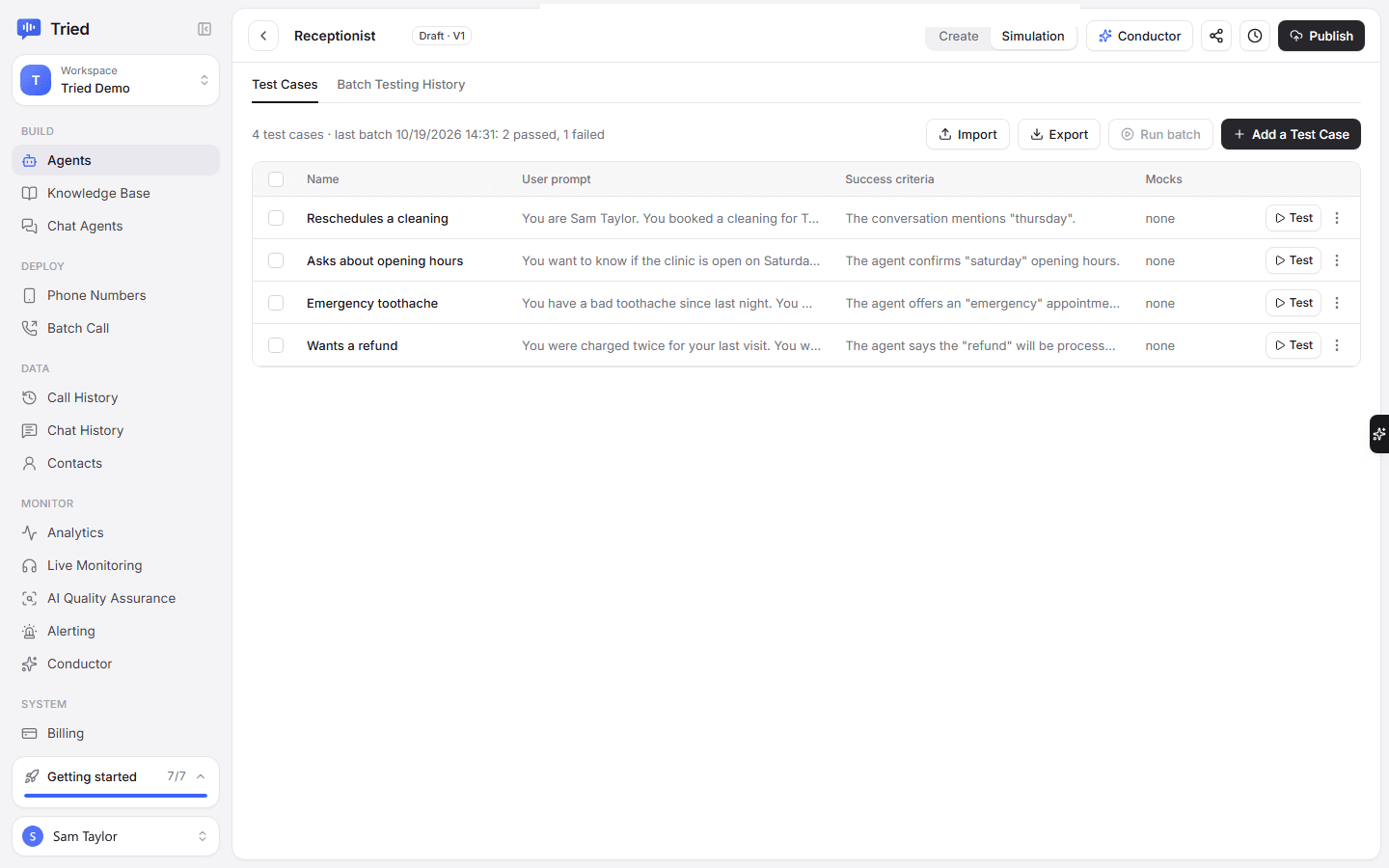
Tried and tested
Test it before a single customer calls.
Talk to your agent in the browser, or write test calls such as “caller wants a refund” and run them all at once to see which pass.
- Changes stay in a draft until you publish
- Every publish is saved as a version
- Go back to an earlier version in one step
After every call
Know what happened without listening back.
Every call comes with a recording, a transcript and a short summary. Pick the details you want pulled out, like the caller's name, reason for calling or booking time.
- Summaries
- A few lines on what the caller wanted and what happened.
- Your own fields
- Name, reason, booking time, or anything else you want captured on every call.
- Reports
- Call volume, outcomes and cost by day, for each agent.
- Your team
- Invite staff as admins, developers or members, so each person sees what they need.

Have you Tried it yet?
Create an account, pick a template and talk to your new receptionist in the browser. You only pay for the minutes you use.